Answer

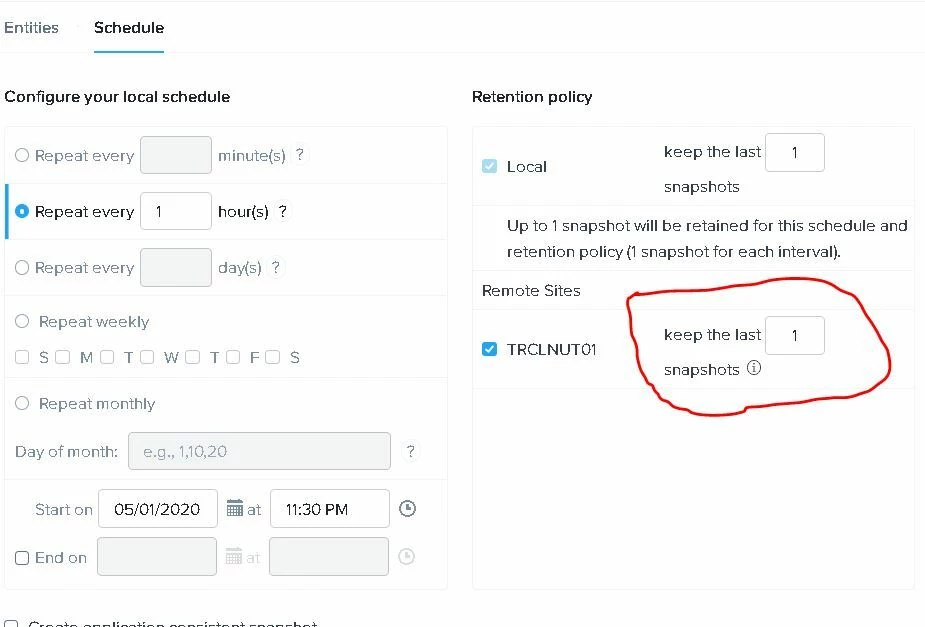
keep the last snapshots for remote office

  • May 29, 2020
  • 1 reply
  • 2654 views

Forum|alt.badge.img

I created a replication rule in nutanix. I did not understand a topic. keep the last snapshots for remote office in Schedule area. Leave it blank and choose 1 or 3. For which scenario should I use this place? this option creates my return point.

Another question is this; I have a thin disk 100 gb virtual server. It takes up space in the snapshot replication rule. How much snapshot space does it have a calculation for?

thanks


Best answer by Alona

Hi @Dotex 

“Keep the last snapshots” is the number of snapshots to retain in circulation before ageing the oldest. For example, 3 snapshots with an hourly schedule would mean that there would be snapshots for the past 3 hours and when the fourth snapshot is taken the first one would be aged and merged to the baseline.

Not sure if I understand your second question correctly, Assuming that you’re looking to estimate the size of the snapshot of that particular server. The answer is the same as with any platform really: the more changes take place the more the size of the snapshot is.

Essentially snapshot is a tracker of storage block changes. Instead of overwriting them into the original disk, they are written to the snapshot file so that if required a recovery is possible. The more storage blocks are changed, the more data is written to the snapshot file.

For example, a rebuild of the database on an SQL server (or merging of logs or local DB backup) generate a lot of changes hence the size of the snapshot can grow substantially.

Let me know if that helps, please.

This topic has been closed for replies.

1 reply

Alona
Nutanix Employee
Forum|alt.badge.img+5
  • Nutanix Employee
  • Answer
  • June 1, 2020

Hi @Dotex 

“Keep the last snapshots” is the number of snapshots to retain in circulation before ageing the oldest. For example, 3 snapshots with an hourly schedule would mean that there would be snapshots for the past 3 hours and when the fourth snapshot is taken the first one would be aged and merged to the baseline.

Not sure if I understand your second question correctly, Assuming that you’re looking to estimate the size of the snapshot of that particular server. The answer is the same as with any platform really: the more changes take place the more the size of the snapshot is.

Essentially snapshot is a tracker of storage block changes. Instead of overwriting them into the original disk, they are written to the snapshot file so that if required a recovery is possible. The more storage blocks are changed, the more data is written to the snapshot file.

For example, a rebuild of the database on an SQL server (or merging of logs or local DB backup) generate a lot of changes hence the size of the snapshot can grow substantially.

Let me know if that helps, please.