
Hi
This thread is related with the previous one that I opened some days ago but it was already closed as solved.
In summary:
- I’ve recently deployed a pair of AHV clusters, each one with his on Prism Central.
- Later I’ve created a specific container for testing purpose called “Replica-Container” on both sites
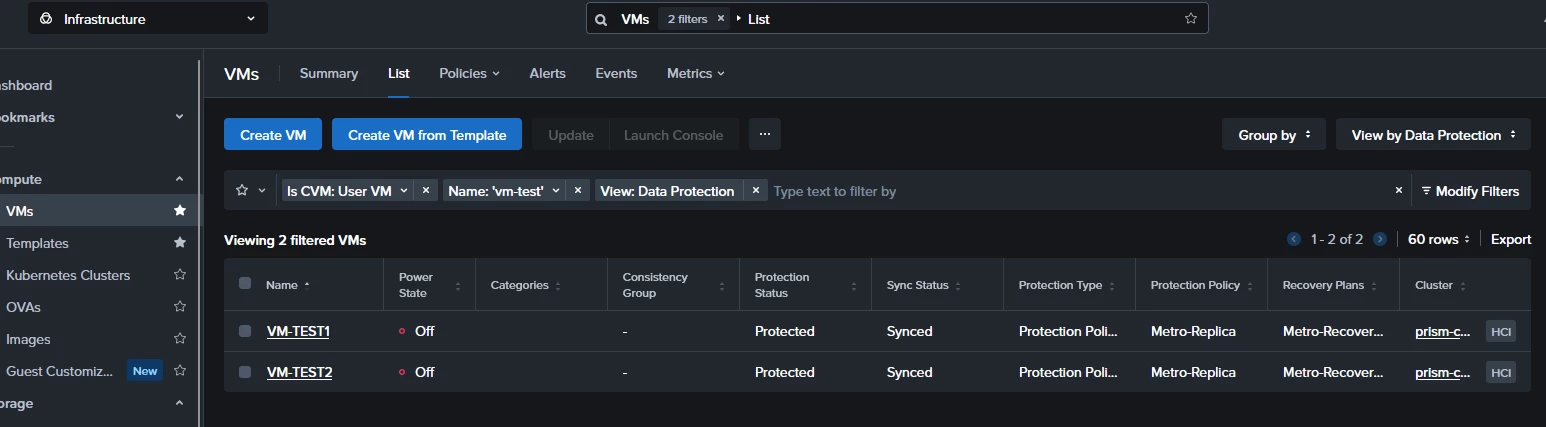
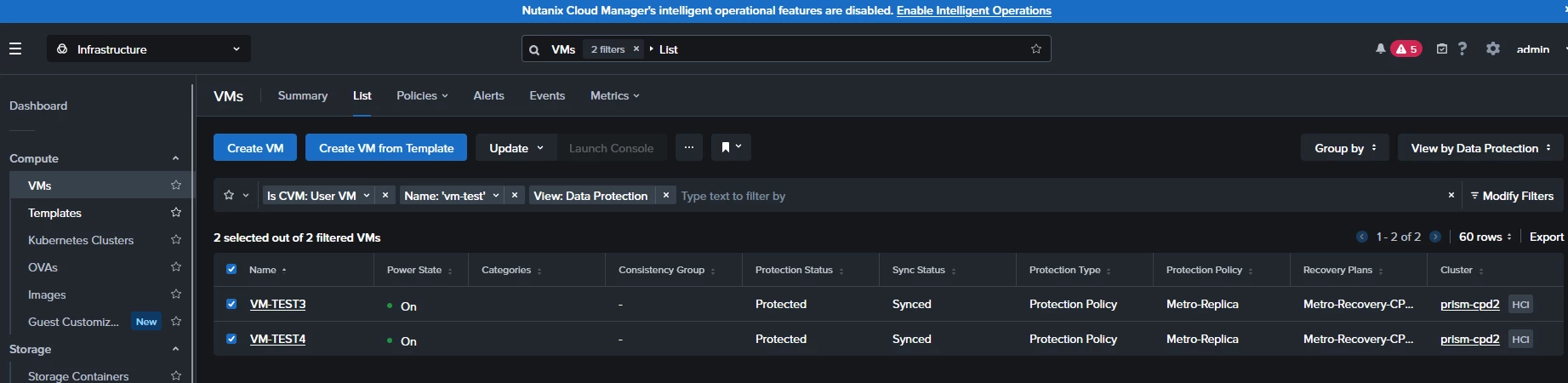
- I’ve moved some test VMs to that specific container and and I’ve created a manual bi-directional syncronous replica between both sites.
- I’ve manualy added the test VMs to the protection plan and I’ve waited some time for them to replicate between sites.
- Finaly I’ve created two different Recovery plans
- Recovery Plan1 - recover VMs from site1 at site2
- Recovery Plan2 - recover VMs from site2 at site1
I’ve validated both plans (succesfuly) and I’ve performed a Test.
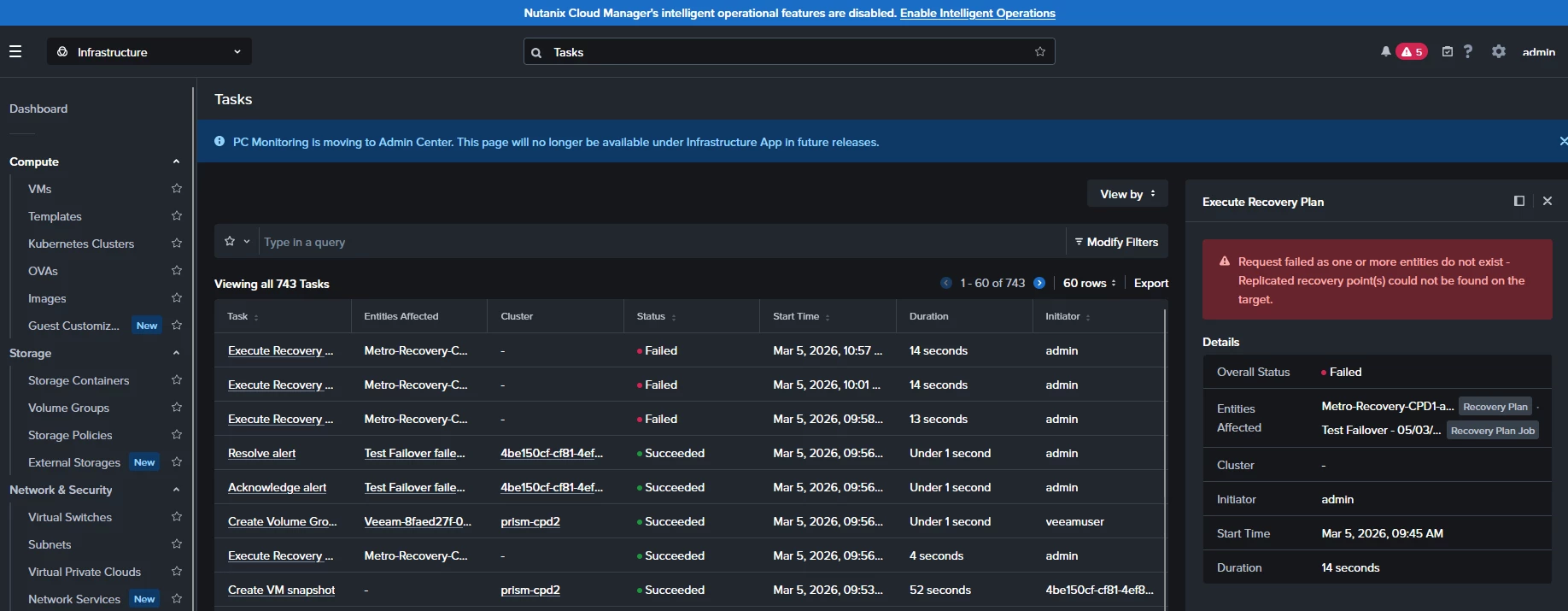
The initial test worked fine for plan2, however Recovery Plan1 shows this error:
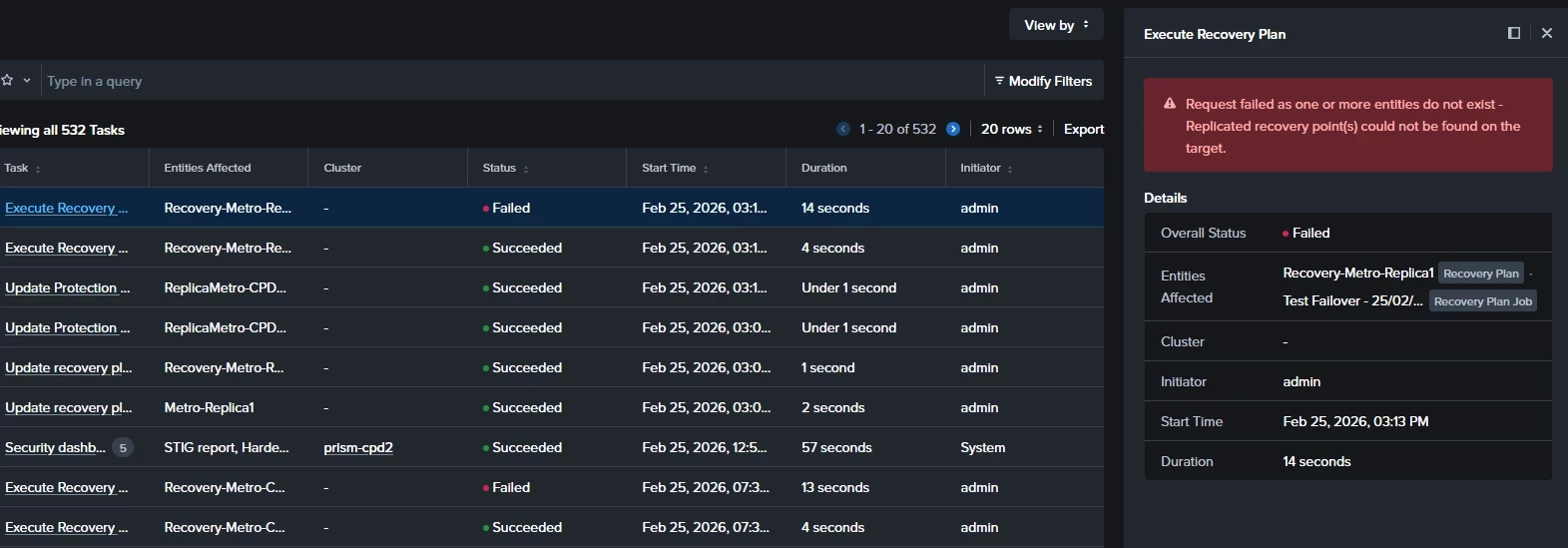
I assumed that I should have to wait more time to perform the sync between sites so I’ve waited some hours to perform new test but the result was always the same.
Then I’ve shutdown the test VMs from site1 and then I’ve launched a Recovery Plan1 test again… and it worked fine!!
After the test I cleaned the test-entities, I powered on the test VMs, then I waited some minutes and then I‘ve repeated the Recovery plan1 test but it failed again with the same initial error.
So at this point I see the following behaviour:
- Recovery plan2 (VMs from site2 are recovered on site1) always works in any VM condition
- Recovery plan1 (VMs from site1 are recovered on site2) only works if VMs are previously powered off
Does it makes any sense??
Thanks