Solved

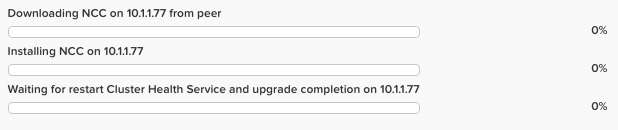
NCC upgrade queued

  • Mar 13, 2018 5:39 PM UTC
  • 10 replies
  • 4837 views

Forum|alt.badge.img+4
I attempted an upgrade of NCC however it is stuck. Is there a way to restart the upgrade?


Best answer by rborey

Found a solution!

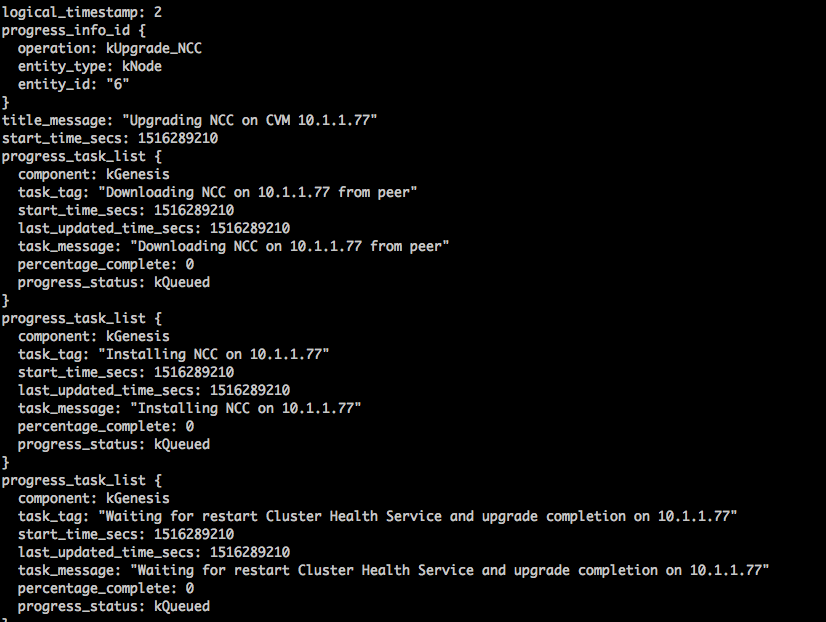
Log into a CVM and then run the command

progress_monitor_cli --fetchall

find the entity id and then run this command

progress_monitor_cli --entity_id= --entity_type=node --operation=upgrade_ncc --delete

"node" and "upgrade_ncc" should be the same, but verify and make sure that they are lower case and you dont include the "k" from either one. There might be more than one entity_id, so repeat for each (if its queued on more than one node).

View original
This topic has been closed for replies.

10 replies

sandeepmp
Nutanix Employee
Forum|alt.badge.img+19
  • Nutanix Employee
  • Mar 13, 2018 5:57 PM UTC
@brightcoveIT

ssh to cvm 10.1.1.77
check clusterhealth status by running below command

genesis status | grep -i health

if no pids, run “cluster start”

if pids are shown,

genesis stop cluster_health
cluster start

this should fix your issue

Forum|alt.badge.img+4
  • Author
  • Adventurer
  • Mar 13, 2018 6:16 PM UTC
Thanks @sandeepmp, I ran the commands you suggested however the upgrade is still queued.

Forum|alt.badge.img+4
  • Author
  • Adventurer
  • Mar 15, 2018 8:28 PM UTC
Still looking for a way to resolve this.

aluciani
Forum|alt.badge.img+34
  • Chevalier
  • Apr 2, 2018 11:34 PM UTC
Hi @brightcoveIT

Are you still facing this issue?

I'm bumping this post back up. Hoping to get some fresh eyes on it.

  • Voyager
  • May 9, 2018 10:01 AM UTC
Same Problem for me.

Is there any other solution for this?

rborey
  • Adventurer
  • May 9, 2018 7:27 PM UTC
Still having the problem. The above commands were unsuccessful. I am aware that there is an issue with CVMs that have less than 12gb of memory, but i changed the memory from 8gb to 12gb, and still having the issue.

rborey
  • Adventurer
  • Answer
  • May 9, 2018 7:38 PM UTC
Found a solution!

Log into a CVM and then run the command

progress_monitor_cli --fetchall

find the entity id and then run this command

progress_monitor_cli --entity_id= --entity_type=node --operation=upgrade_ncc --delete

"node" and "upgrade_ncc" should be the same, but verify and make sure that they are lower case and you dont include the "k" from either one. There might be more than one entity_id, so repeat for each (if its queued on more than one node).

  • Voyager
  • May 14, 2018 6:57 AM UTC
@rborey

Thank you for sharing this! I will try this as soon as possible and give a feedback.

Forum|alt.badge.img+4
  • Author
  • Adventurer
  • May 14, 2018 4:29 PM UTC
@RobinJo I can confirm @rborey solution resolved the issue for me

Forum|alt.badge.img
  • Voyager
  • Jun 14, 2018 11:50 AM UTC
@rborey Thx for the solution. It works for me too!!!