
Solved

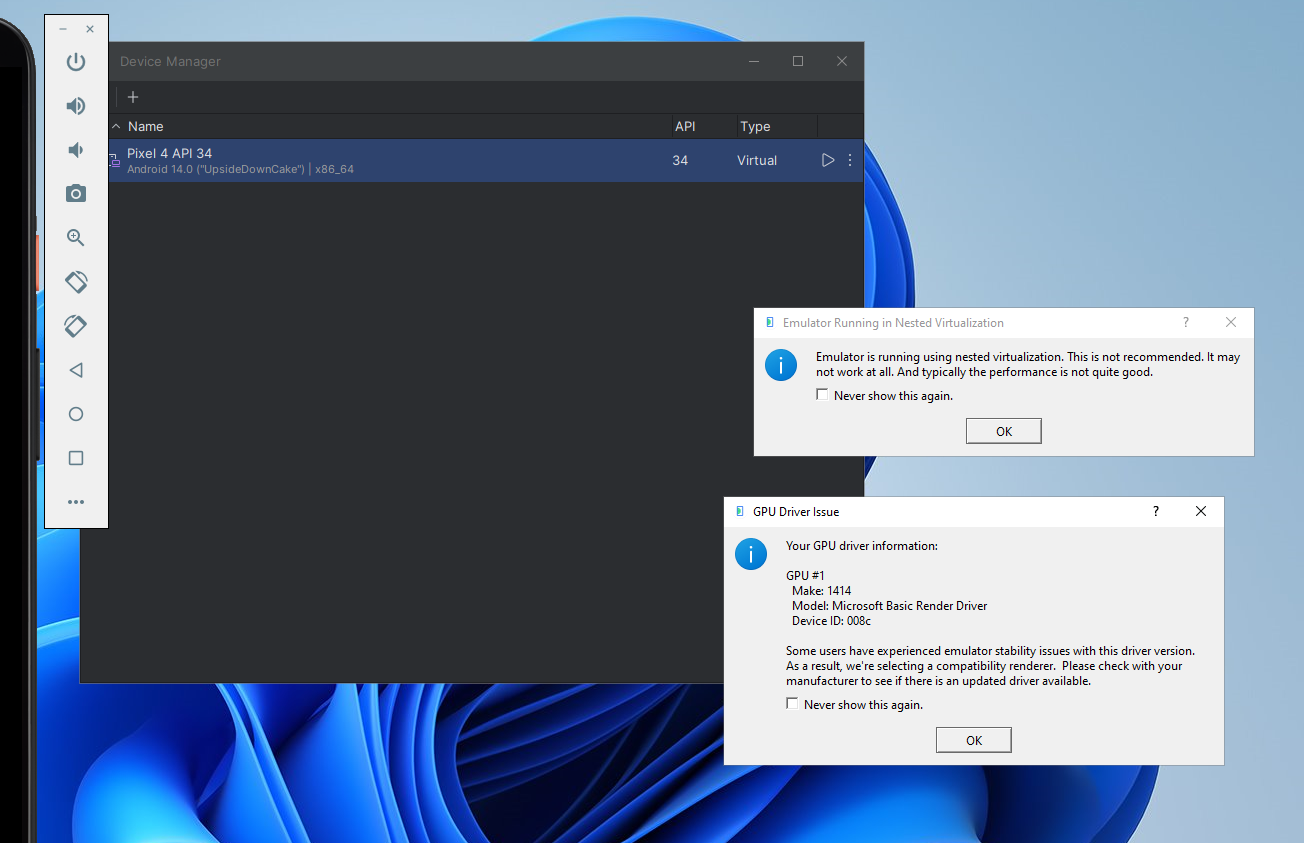
Error in Installation of Android studio Emulator

  • Mar 31, 2024 10:44 AM UTC
  • 5 replies
  • 278 views

Hi frnds,  Facing attached error while launching Emulator on VM. Please guide if anyone has installed and launched emulator. 
 

Best answer by JeroenTielen

Ok. You are running an emulator in a virtual machine. To do this you have to enable cpu passthrough. 


SSH into the CVM of the nutanix node and type:  acli vm.update <VM_Name> cpu_passthrough=true

View original
This topic has been closed for replies.

5 replies

JeroenTielen
Forum|alt.badge.img+8

Hi, those are not errors but information boxes. ;) Check the “never show this again” and they will not be shown again. 


  • Author
  • Adventurer
  • Apr 2, 2024 9:16 AM UTC

Dear Sir, 

But emulator is not launching after clicking checkbox. 


  • Author
  • Adventurer
  • Apr 2, 2024 9:17 AM UTC

Hi, those are not errors but information boxes. ;) Check the “never show this again” and they will not be shown again. 

Hi, after marking checkbox we still not able to launch emulator on VM


JeroenTielen
Forum|alt.badge.img+8
  • Vanguard
  • Answer
  • Apr 2, 2024 9:18 AM UTC

Ok. You are running an emulator in a virtual machine. To do this you have to enable cpu passthrough. 


SSH into the CVM of the nutanix node and type:  acli vm.update <VM_Name> cpu_passthrough=true


  • Author
  • Adventurer
  • Apr 2, 2024 9:42 AM UTC

Sir, we have enabled CPU pass through but still not able to launch. Actually it is launched but very slow (Non Responsive)

