Solved

Download

  • May 8, 2026
  • 4 replies
  • 39 views

Daniel Martinez
Forum|alt.badge.img+2

Hi

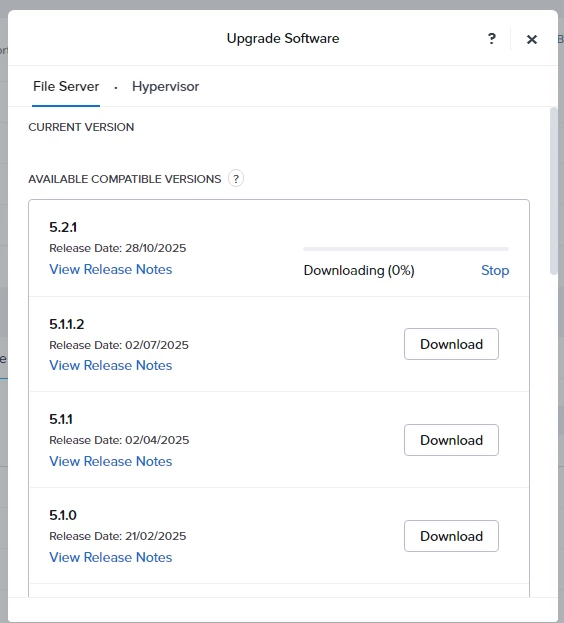
I’m trying to deploy Nutanix Files from a brand new cluster using Prism Element:


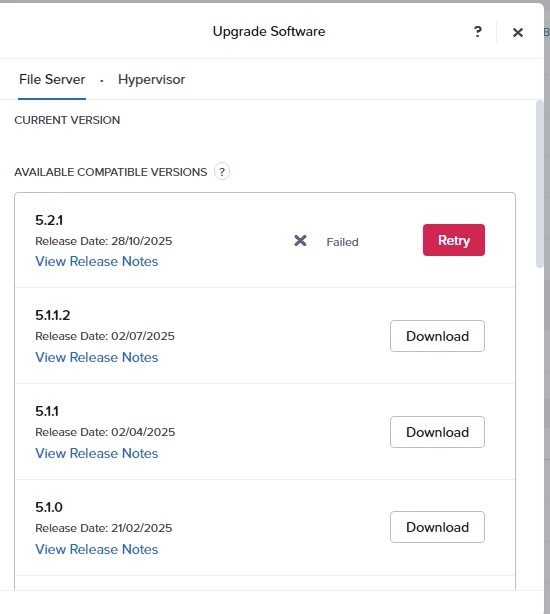
… but I got this error:


The cluster has access to internet, I’ve loged in to a CVM and I’ve done pings to google without issues. So I assume connectivity to nutanix should not be a problem...  am I doing something wrong? 

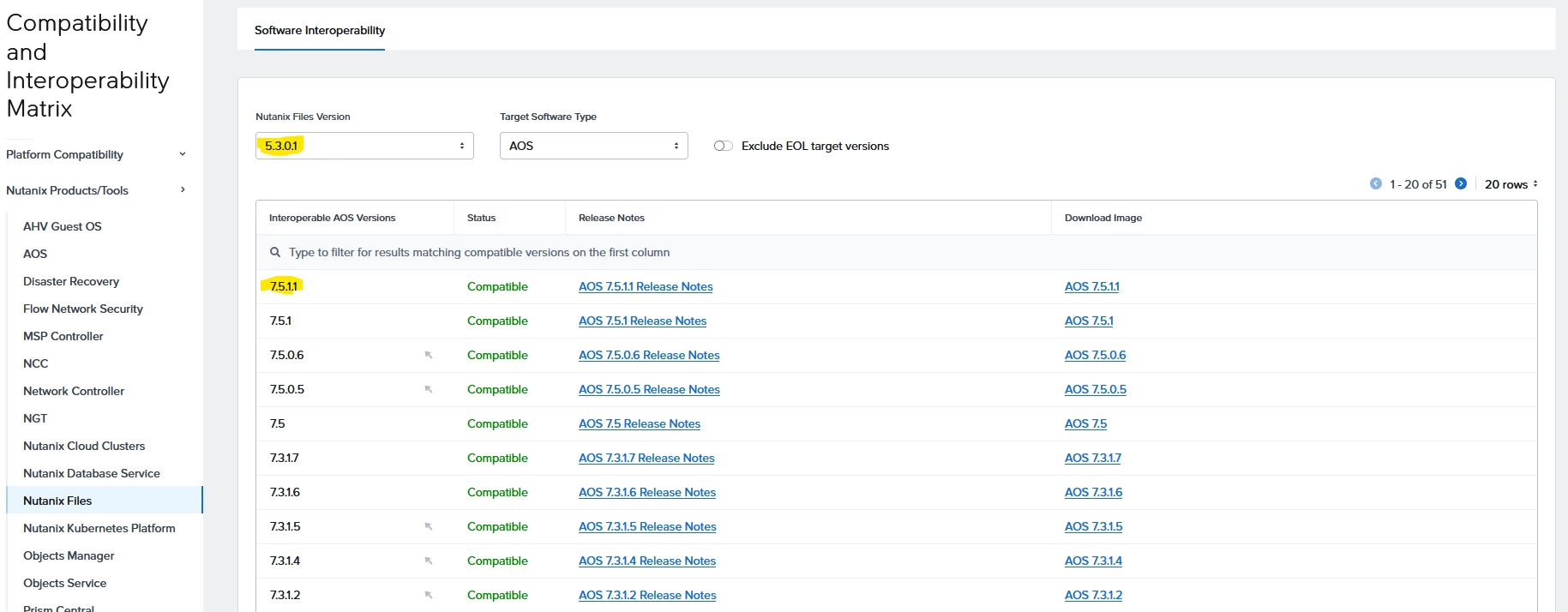
Also why I just see the 5.2.1 as the available compatible versions? My AOS is 7.5.1.1 and compatibility matrix shows it is compatible with Files last release 5.3.0.1


Finaly, in case I need to upload the Files bundle manualy (like if it was a dark side), which should be the correct way to do it? I assume I have to download the LCM bundle from nutanix portal and upload it to the PE LCM... Is that correct?

Thanks

Best answer by jarrodl

Okay a few things to consider here:


Network Ports
Have you opened all the required network ports? https://portal.nutanix.com/page/documents/ports-and-protocols?productType=Files 


Darksite Install

Finaly, in case I need to upload the Files bundle manualy (like if it was a dark side), which should be the correct way to do it? I assume I have to download the LCM bundle from nutanix portal and upload it to the PE LCM... Is that correct?

That is correct. Download the LCM bundle from the portal and upload it into LCM packages. Since it has internet access, it’s not a darksite, so this method would work fine.


 

In general, if you did explore a dark site with no internet access, I recommend reviewing the LCM Dark Site configuration: https://portal.nutanix.com/page/documents/details?targetId=Life-Cycle-Manager-Guide-v3_0:top-lcm-settings-dark-sites-c.html

4 replies

jarrodl
Forum|alt.badge.img+2
  • Vanguard
  • Answer
  • May 8, 2026

Okay a few things to consider here:


Network Ports
Have you opened all the required network ports? https://portal.nutanix.com/page/documents/ports-and-protocols?productType=Files 


Darksite Install

Finaly, in case I need to upload the Files bundle manualy (like if it was a dark side), which should be the correct way to do it? I assume I have to download the LCM bundle from nutanix portal and upload it to the PE LCM... Is that correct?

That is correct. Download the LCM bundle from the portal and upload it into LCM packages. Since it has internet access, it’s not a darksite, so this method would work fine.


In general, if you did explore a dark site with no internet access, I recommend reviewing the LCM Dark Site configuration: https://portal.nutanix.com/page/documents/details?targetId=Life-Cycle-Manager-Guide-v3_0:top-lcm-settings-dark-sites-c.html


Daniel Martinez
Forum|alt.badge.img+2

Thanks for the answer. I will check the ports with the network team, in theory there are no restrictions but who knows!

Meanwhile I will try with the LCM manual updoad as mentioned...


Daniel Martinez
Forum|alt.badge.img+2

Network team fixed the issue by adding the http + https protocols (only https was enabled). 


LMohammed
Forum|alt.badge.img+2
  • Trailblazer
  • May 8, 2026

Hi ​@Daniel Martinez 

You have done it right.

I believe there may be connectivity or firewall port issues between your Nutanix cluster and the firewall.