[ đŸ«”đŸ» We need your help đŸ«”đŸ» ] What would you improve in NCI user interfaces?

  • January 12, 2026
  • 10 replies
  • 119 views

Campiott1
Nutanix Employee
Forum|alt.badge.img

A warm happy new year to all Nutanix community.

As a Nutanix SE role one of my objective is to collect customer feedback not only on features and functionality but also for UI and UX (user experience).

I often get some user interface feedbacks from customers while doing HPOCs or Demos, but I would like to understand if you can help us improve even more. I would like to understand what are the main areas where our graphical interface could be a little better.
 

âšœđŸ€đŸŽŸÂ I want to play a little game with everyone would like to join 🏏🏈🏐 

[Game Rules]

  1. Post a screenshot of our interface (feel free to blur out some information)
  2. Highlight some areas of the screenshot
  3. Write down where the screenshot is coming from (PC, PE, Security Central, Nutanix Central)
  4. Send a comment on what could be improved referring to highlighted areas


My turn:
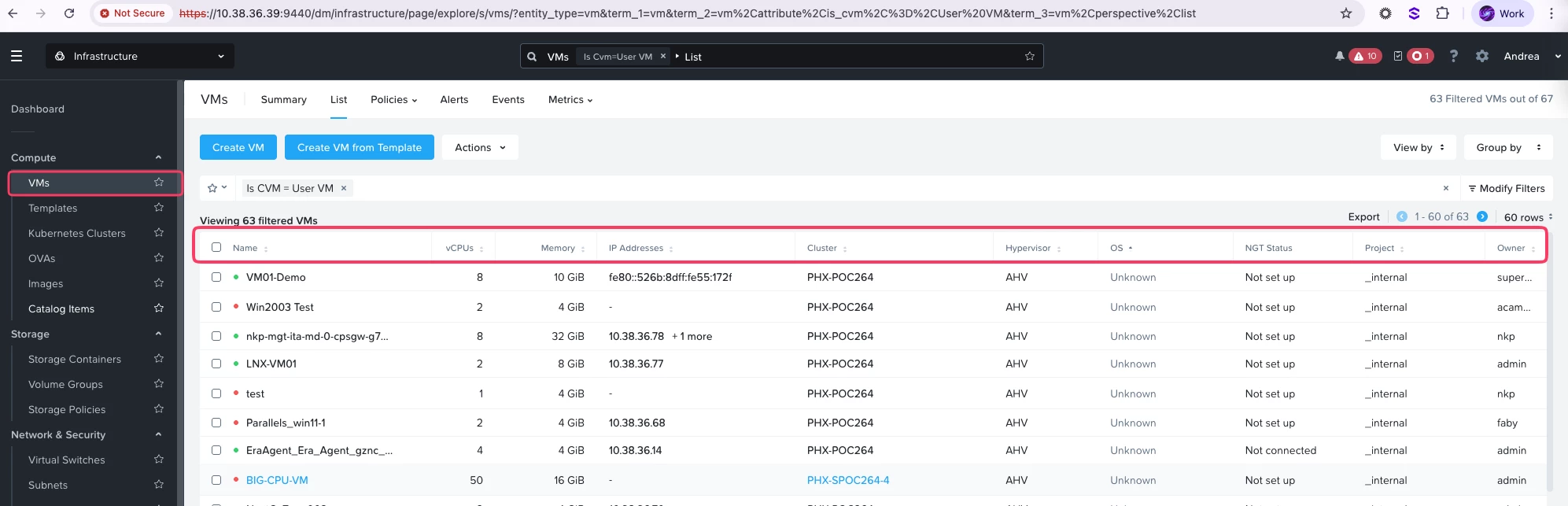
  • From Prism Central
  • I would like that these columns in VMs view would be more customizable with additional parameters like for example: Disk space occupied By VMs; Categories assigned to the VMs.

Your turn!

10 replies

Forum|alt.badge.img+2
  • Trailblazer
  • January 12, 2026

Feature: Auto size columns and column adjustments.
Location: PC & PE


Request 1: Autosize Button:

When working in views, especially temporary views. Having a button to auto size columns would be fantastic.


Request 2: Responsive Columns

If you have a view which has several columns and you want to expand the last column, you have to move all the columns before that before resizing the last column. If I want to resize the last column, all the columns before that should be responsive to that change. 
 

​​​​


Forum|alt.badge.img+2
  • Trailblazer
  • January 12, 2026

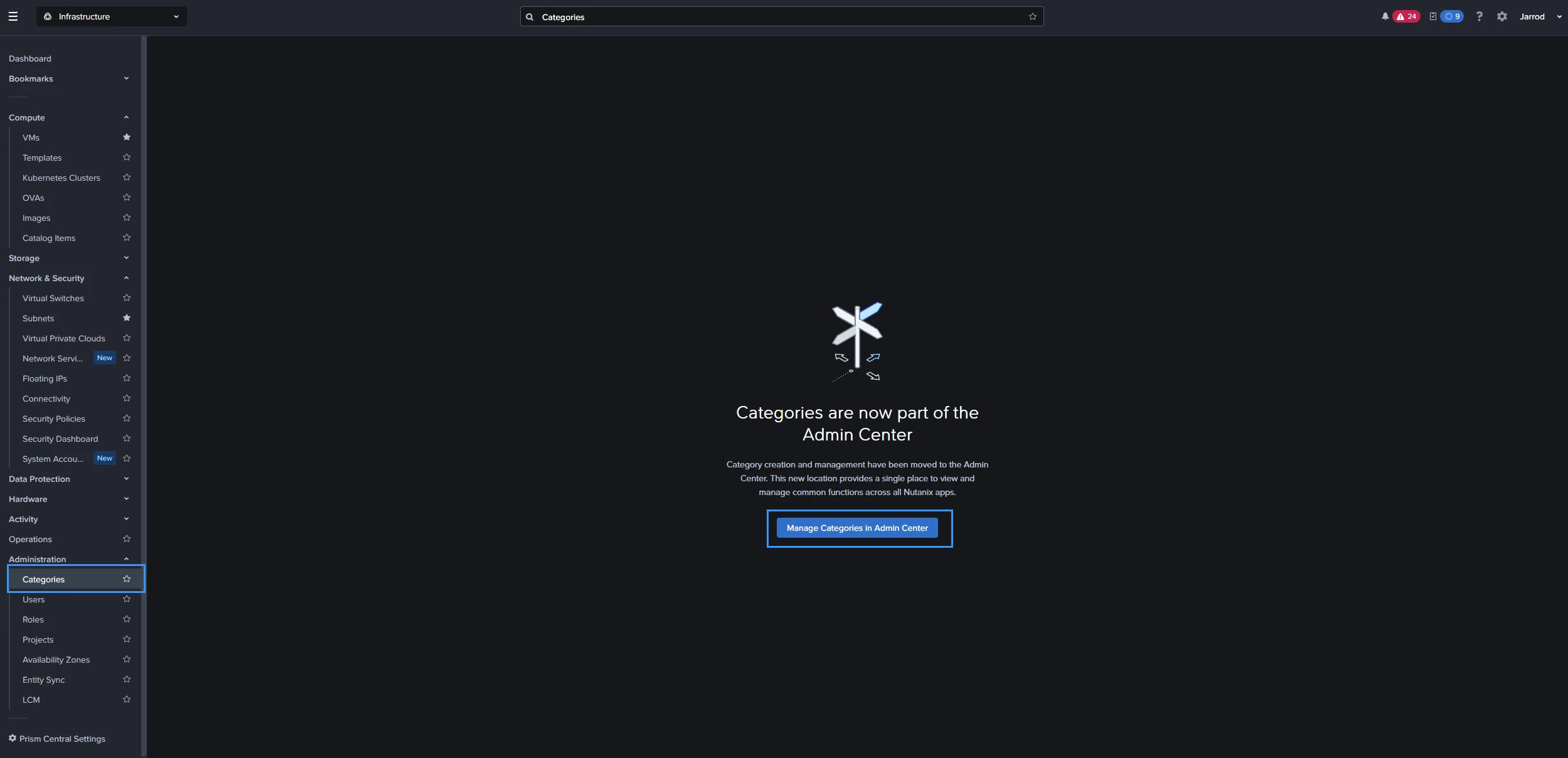
Request: Auto-Redirect when components change locations
When Nutanix Moves components around within the interface, having it auto redirect to the new location or open in a new tab would be a better user experience, removing an additional click.


If there is a functional requirement for having that there, then maybe making it opt-in so the user can choose to be auto-redirected for that page.


It Unfortunately is an additional unneeded click within your workflow


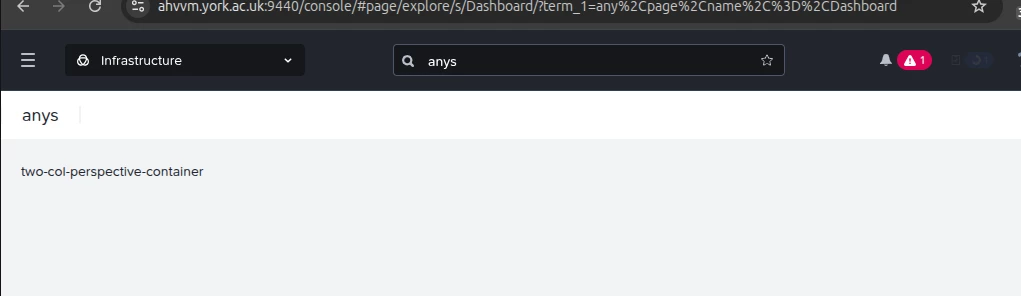
I have regular issues with the search box in Prism Central.  Trying to copy and paste things into it from my Linux desktop is very difficult and I mostly end up searching for ‘Dashboard’ or ‘ansys’ (not sure where ‘ansys’ comes from).  I normally end up having to type in it rather than copy and paste.  Having a button to clear any existing text from the search box and not putting the word ‘Dashboard’ in initially would help.


My other issue with the search box is it can be a bit too helpful at returning results.  Sometimes I can type part of a VM name or search for a VM that I’m not sure still exists and it will take me straight to a VM with a similar name, eg I type ‘ns’ and it takes me to ‘nse1.  We have about 10 other VMs that start with ‘ns’ and there have been several times I’ve ended up making changes to the wrong VM because the search box has just sent me to the first VM in the list.  I’d rather get a list of results when pressing return than getting sent to the top result.


AndyBarber
  • Voyager
  • January 14, 2026
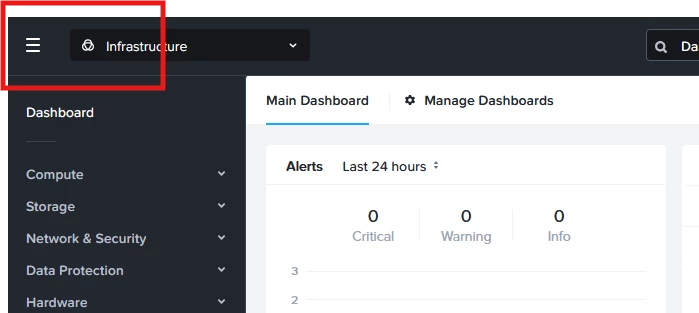
Prism Central Branding
- Throw in a Nutanix Logo up here, but also provide the option to modify it with corporate branding.


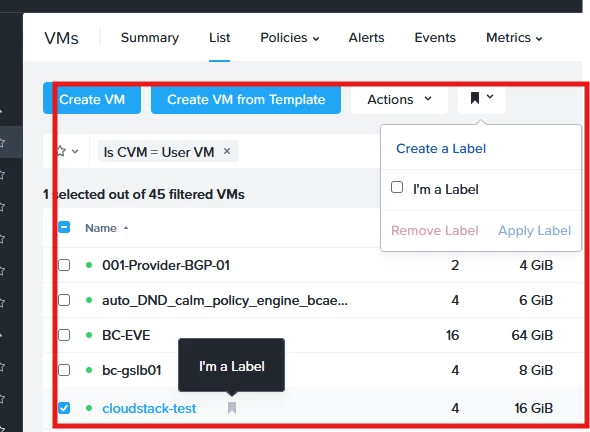
Prism Central > Compute > VMs - Label UI Changes
- When creating a label you have to have a VM selected, but the label does not auto-apply - perhaps allow the label UI to be always present, or maybe auto apply the label on creation

- If you have the VM(s) selected, and there are matching labels perhaps have them pre-selected (or a greyed out checkbox if there is a mix) so you can more quickly review/apply/delete as needed


Campiott1
Nutanix Employee
Forum|alt.badge.img
  • Author
  • Nutanix Employee
  • January 14, 2026


My other issue with the search box is it can be a bit too helpful at returning results.  Sometimes I can type part of a VM name or search for a VM that I’m not sure still exists and it will take me straight to a VM with a similar name, eg I type ‘ns’ and it takes me to ‘nse1.  We have about 10 other VMs that start with ‘ns’ and there have been several times I’ve ended up making changes to the wrong VM because the search box has just sent me to the first VM in the list.  I’d rather get a list of results when pressing return than getting sent to the top result.

Yes, I remember this exactly same “odd behavior” when searching for a VM of a set of N, while trying to search the name I’m automatically redirected on the first one in alphabetical order.

You need to pause and select the last suggestion which is the correct *wilcard* search.


Forum|alt.badge.img+2
  • Trailblazer
  • January 15, 2026

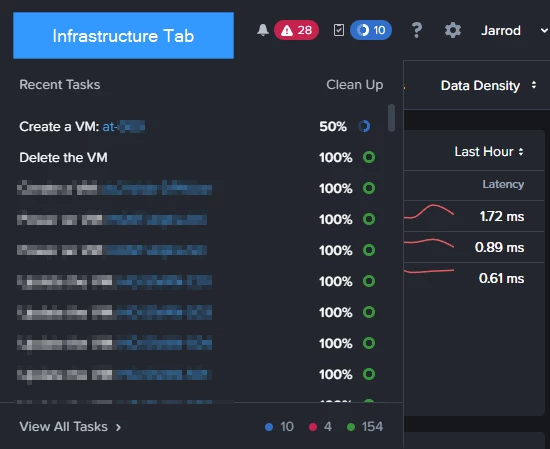
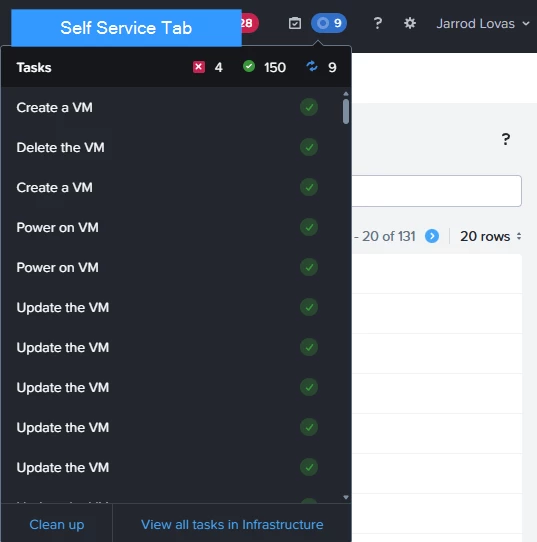
Consistent Task Experience

Depending on which part of the Prism Central you are in, you can sometimes see the VM being created/deleted etc.. and if other parts you only see the task action.

It’s a little annoying having to switch into another tab to get an overview of the task being carried out.

Infrastructure Tab

I can see the VM names as well as the action


Self Service Tab

I can only see the action being done:


Forum|alt.badge.img+2
  • Trailblazer
  • January 15, 2026

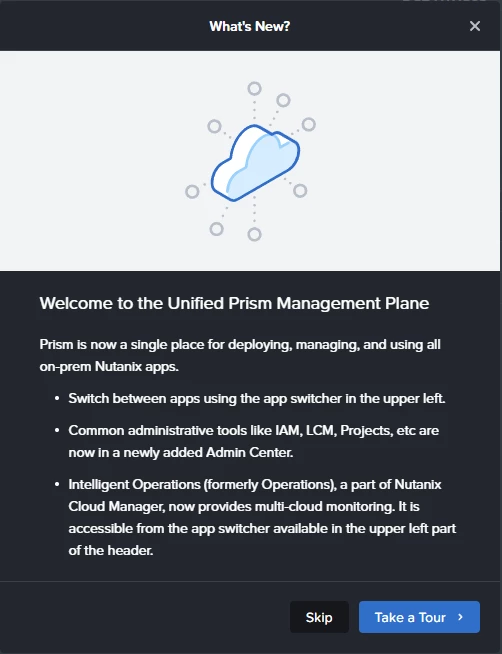
Ability to turn off Information prompts:

After clearing my browser cache and logging back in. You constantly get these prompts.

They are a little annoying.


Alex Graham

Feature Request: Accessibility Change

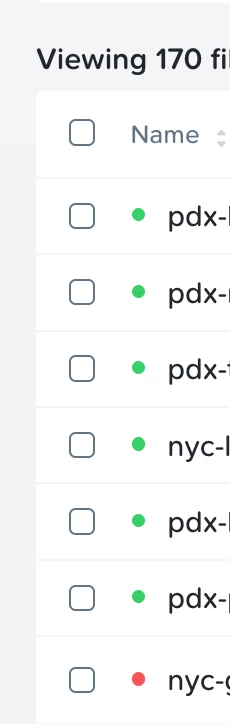
Can the various lists throughout the platform use shapes in addition to colors as status indicators?

The following screenshot shows a list of running and stopped VMs, with red and green dots to indicate whether they’re currently running.

For users who are red-green color blind, it is difficult (perhaps impossible) to distinguish between these dots or understand the meaning.

Most similar technologies use a green “play” button and a red “stop” button to indicate status.

List of running VMs with indicator lights


Forum|alt.badge.img+2
  • Trailblazer
  • January 16, 2026

Feature Request: Accessibility Change

Can the various lists throughout the platform use shapes in addition to colors as status indicators?

The following screenshot shows a list of running and stopped VMs, with red and green dots to indicate whether they’re currently running.

For users who are red-green color blind, it is difficult (perhaps impossible) to distinguish between these dots or understand the meaning.

Most similar technologies use a green “play” button and a red “stop” button to indicate status.

List of running VMs with indicator lights


I think this is an awesome idea to get the design team thinking about general accessibility considerations.


Campiott1
Nutanix Employee
Forum|alt.badge.img
  • Author
  • Nutanix Employee
  • January 16, 2026

Feature Request: Accessibility Change

For users who are red-green color blind, it is difficult (perhaps impossible) to distinguish between these dots or understand the meaning.


Thanks for this heads up Alex, often UI designers privilege simplicity over readability especially of color blind people. 

This is a great example on how we can improve our lists by customizing field, for example adding a “status” field will mantain design but also add text for those who have problem distinguish colors.