
Solved

OS image not visible when trying to deploy NKP from Marketplace

  • January 4, 2026
  • 2 replies
  • 42 views

swischer
Forum|alt.badge.img+1

HI,

I have a test environment and wanted to checkout the NKP Deployment from Marketplace with Prism Central 7.5.0.1 but I am unable to get a OS Image listed in the deployment:
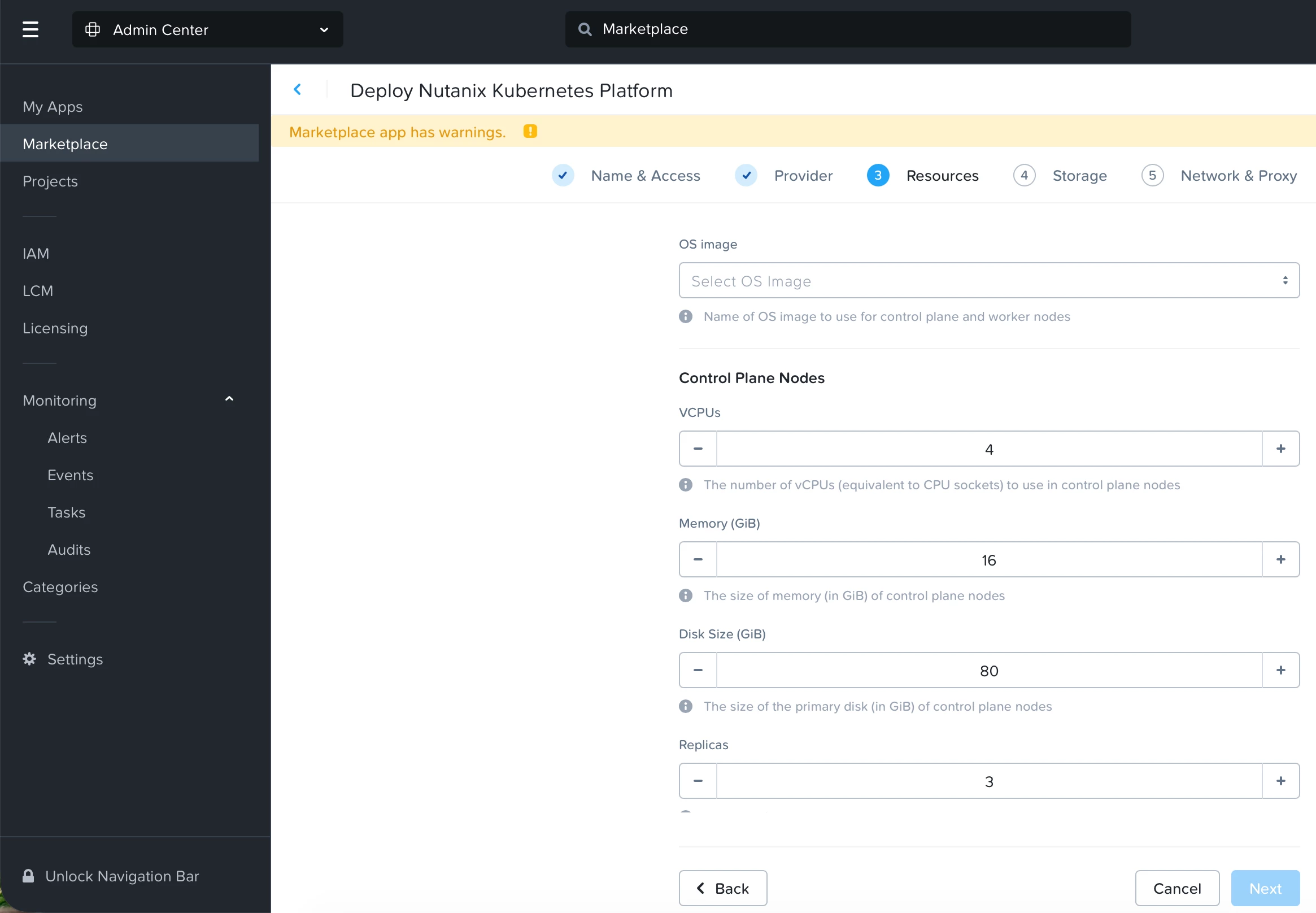

I setup a Ubuntu VM 22.04 before and installed NKP 2.16.1 and ran nkp create image nutanix ubuntu-22.0 successfully, image is visible in Prism Central with name nkp-ubuntu-22.04-1.33.5-20260104141512

I am a bit lost know if I did something wrong or misunderstood - having the environment for limited time would be happy to get some good hints if possible.

Thanks,

Sebastian
Best answer by Eric De Witte

Hi ​@swischer 
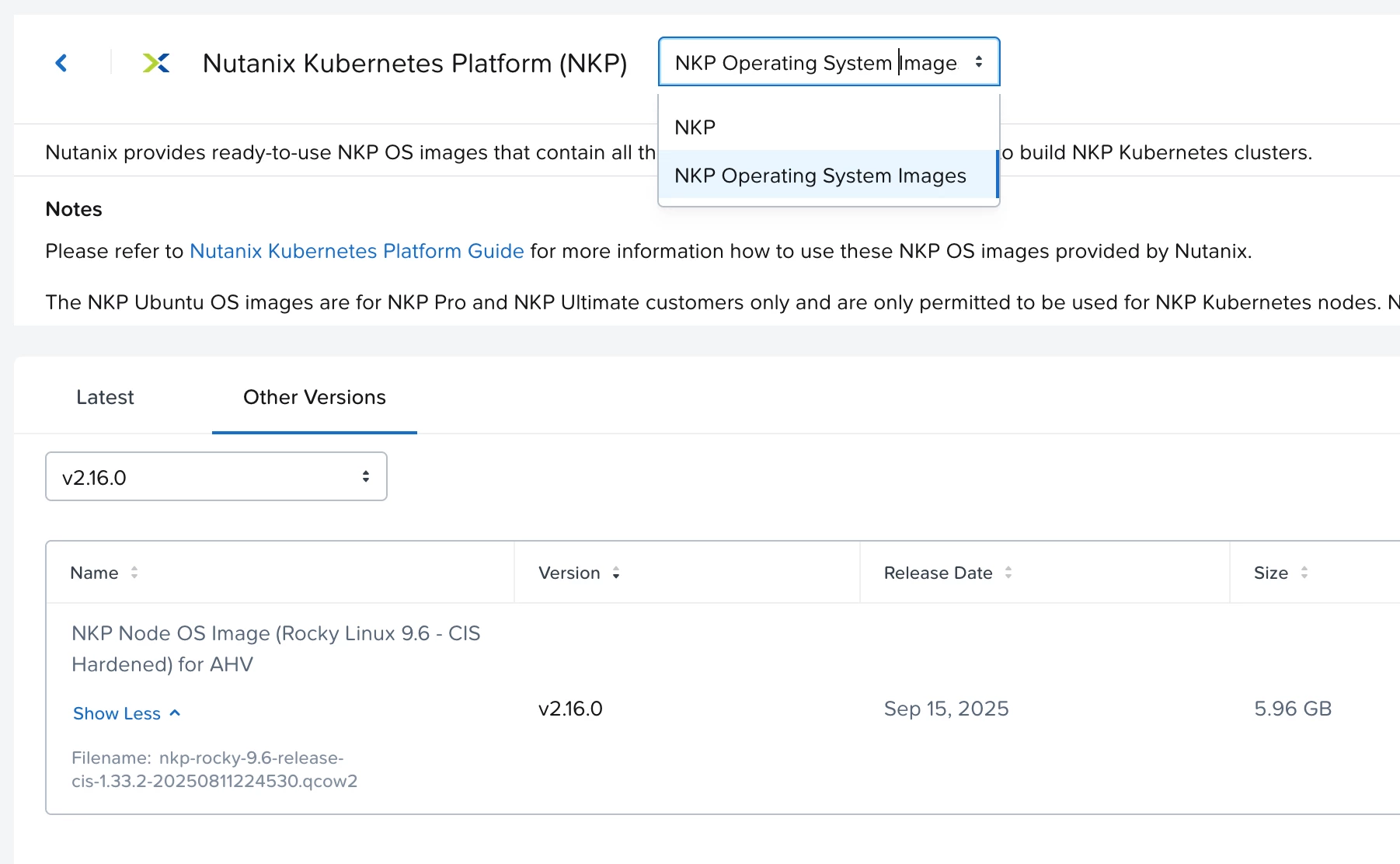
The marketplace is deploying NKP 2.16.0 not 2.16.1.
you can use the OS images (rocky or ubuntu) available on the portal for 2.16.0 or build your own using nkp 2.16.0 cli.


2 replies

Eric De Witte
Nutanix Employee
  • Nutanix Employee
  • Answer
  • January 5, 2026

Hi ​@swischer 
The marketplace is deploying NKP 2.16.0 not 2.16.1.
you can use the OS images (rocky or ubuntu) available on the portal for 2.16.0 or build your own using nkp 2.16.0 cli.


swischer
Forum|alt.badge.img+1
  • Author
  • Trailblazer
  • January 5, 2026

Hi ​@Eric De Witte 

thanks the information that it is NKP 2.16.0 this was very helpful, because after my post I also tried the upload of images from the portal but with version 2.16.1

I will proceed with the next steps and let's see if this works now. As mentioned Test cluster for limited time but your answer was right in time to at least try to get the deployment finished.

Sebastian