Question

NKP OS Image Compatibility Verification Before Prism Central Upload

  • September 22, 2026
  • 3 replies
  • 52 views

I would like to confirm the correct process for identifying and verifying an OS image that is compatible with my Nutanix Kubernetes Platform (NKP) version before uploading the image to Nutanix Prism Central.

Could you please provide guidance on:

  • How to determine which OS images are officially supported for my specific NKP version.
  • Where I can find the list of supported OS images and their corresponding NKP versions.
  • How to verify the compatibility of an OS image before uploading it to Prism Central.
  • Which image format and required image properties should be used.
  • Whether there is a compatibility matrix, documentation, or tool that can be used to validate the image.
  • How to confirm that the uploaded image is ready to be used for NKP cluster deployment.

The objective is to ensure that I select the correct and supported OS image before starting the NKP deployment and avoid compatibility-related deployment issues.


3 replies

Forum|alt.badge.img+3
  • Vanguard
  • September 22, 2026

LMohammed
Forum|alt.badge.img+2
  • Outrider
  • September 22, 2026

Hi ​@mesfin baheru 

To check Nutanix hardware comatibility with AOS AHV
https://portal.nutanix.com/page/compatibility-interoperability-matrix/platform-compatibility

To check compatibility for AOS with different components (Nutanix files Prism central object flow etc...)
https://portal.nutanix.com/page/compatibility-interoperability-matrix/aos/interoperability

To check Nutanix upgrade path for differents components :
https://portal.nutanix.com/page/documents/upgrade-paths


Eric De Witte
Nutanix Employee
  • Nutanix Employee
  • September 22, 2026

As you’re referring to Prism Central Image import, I’ll make the assumption that you’re running NKP on Nutanix (AHV).

you’ll find OS image ready to consume from the Nutanix Download Portal : 

https://portal.nutanix.com/page/downloads?product=nkp


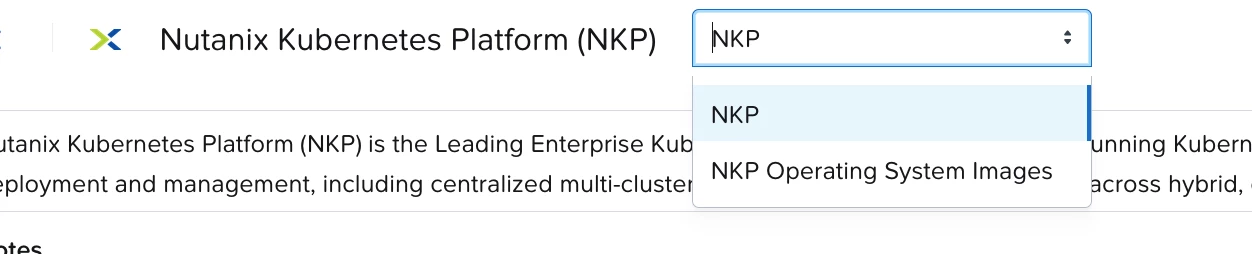
make sure to change the top drop-down menu from “NKP” to “NKP Operating System Images”


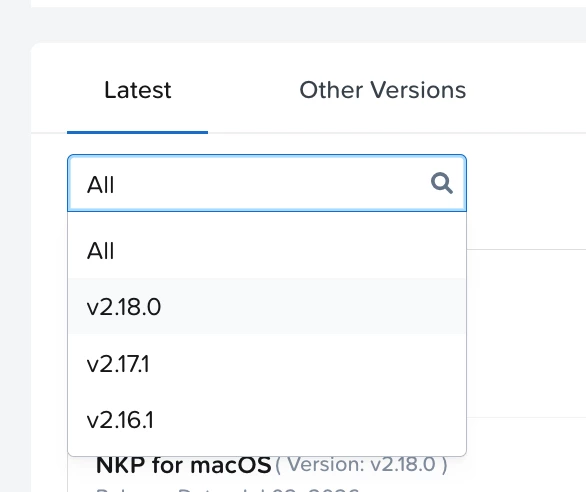
Then select the version of NKP you’re running or plan to upgrade to.


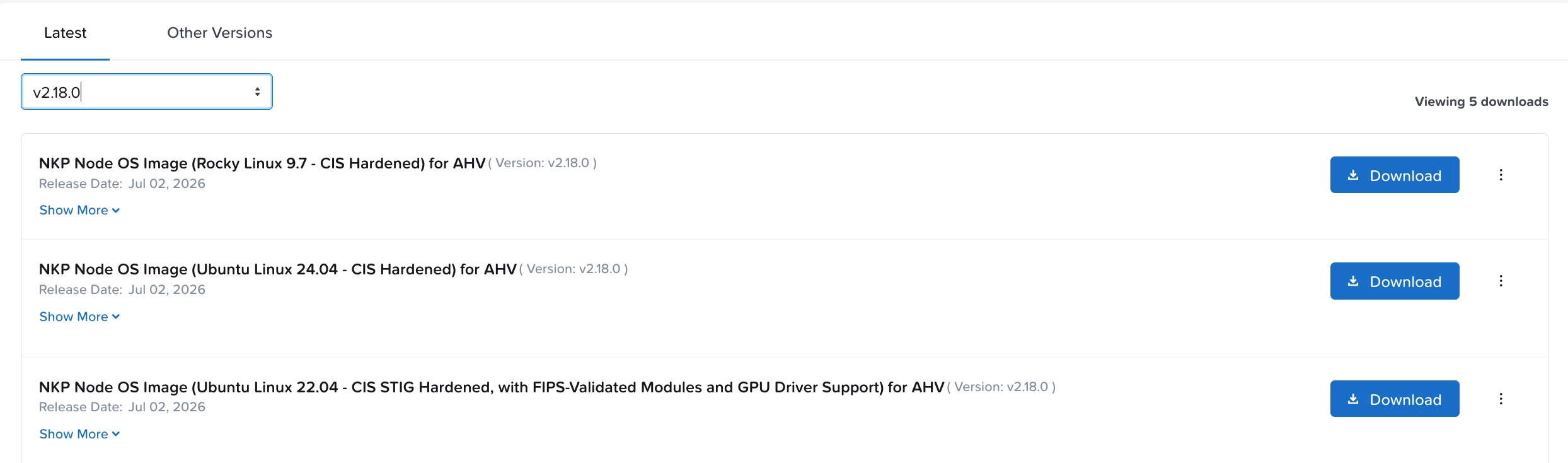
you’ll get a list of available OS images aligned to your desired NKP version (2.18.0 in my example):


If you’re using NKP starter edition, download the rocky image. If you’re pro or ultimate you can also import the ubuntu image.


Alternative, if you need to and are running NKP Pro or ultimate, you can use the nkp cli to create an OS image for your OS of choice :
https://portal.nutanix.com/page/documents/details?targetId=Nutanix-Kubernetes-Platform-v2_18:top-nib-building-customized-image-t.html


Hope this helps.


Eric.