Question

Synchronous DR Test Failover --> Fails – “Replicated recovery point(s) could not be found on the target”

  • February 25, 2026
  • 3 replies
  • 19 views

Daniel Martinez
Forum|alt.badge.img+2

Hi,

I’m currently configuring synchronous replication (manual failover, no Witness VM yet) between two AHV clusters managed by Prism Central 7.5.0.5 (each cluster has it’s own PC).

Since there is no Witness deployed, this is not Metro Availability, but a synchronous Protection Policy with manual failover. As soon as I have the Witness VM I will test the Metro Availability feature.

Current setup

  • Created a container named Metro_CPD1 on both clusters.

  • Created 3 test VMs on Cluster1 and placed them in the Metro_CPD1 container.

  • From PC1 I’ve created a Synchronous Protection Policy (ReplicaMetro-CPD1-to-CPD2) with manual failover.

  • From PC1 I’ve created a Recovery Plan (Recovery-metro-replica1) :

    • Primary location: Cluster1

    • Recovery location: Cluster2

    • Execution mode: Manual

  • Added the 3 VMs to the Recovery Sequence.

  • Configured Network Mappings (Prod LAN and Test LAN with IP pools).

  • After creating the Recovery plan I do a “Validate” and it completes successfully on both sites
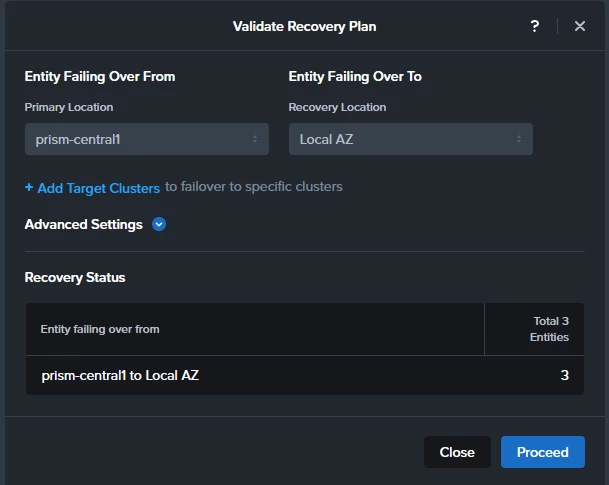
 

After some time (hours) on both PCs, under Recovery Points, I can see the Test VMs and their corresponding recovery points. So this suggests me that synchronous replication is working and checkpoints exist on both sides.



Problem

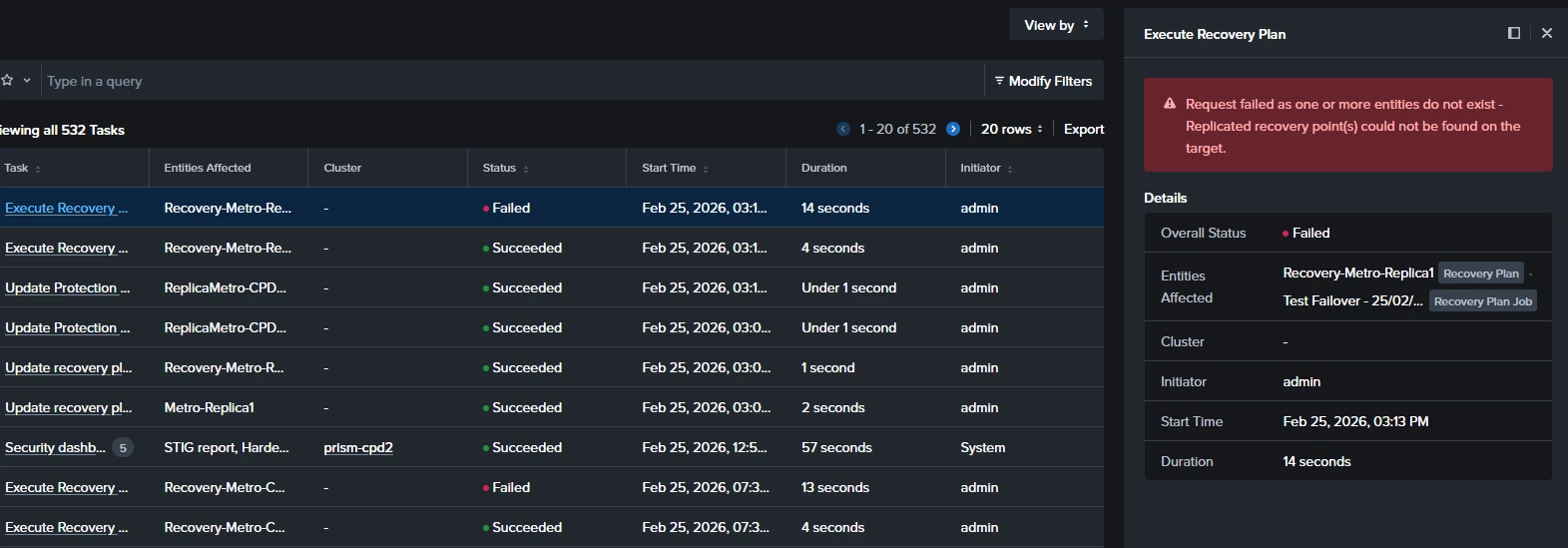
When I run a Test Failover from the secondary site, the execution starts but fails around the starting point with the following error:

"Request failed as one or more entities do not exist - Replicated recovery point(s) could not be found on the target."

Since recovery points are visible on both sides, I’m unsure why the Recovery Plan cannot locate them during the test execution.
 

Questions

  • A part of creating two containers with the same name on both clusters, do I have to “pair” them in some way? 

  • Is there any specific requirement for Recovery Plans when using synchronous Protection Policies (without Metro container)?

  • Is there any known delay or additional step required before recovery points become usable for test failover?

Any guidance would be appreciated.

Thanks!!!

3 replies

selvamani
Forum|alt.badge.img+1
  • Trailblazer
  • February 26, 2026

Hi ​@Daniel Martinez 

Can you please check 
1. Container mapping On PC, open the protection policy --> confirm target container shows the correct cluster and container ,I hope not missing 

2. Edit policy -->reselect target container -->Save .Container UUID mapping 

3.Open Recovery Plan --> Edit -->remove VMs--> re-add them →  Save. recovary plan resync 

4.Wait 1–2 sync cycles so a fresh recovery point. Check it  exists under the updated mapping.

Retry the Test Failover.
==
My Answers  for your Questions .
A part of creating two containers with the same name on both clusters, do I have to “pair” them in some way?   
Same container name alone is not enough --> policy pairing defines mapping

Is there any specific requirement for Recovery Plans when using synchronous Protection Policies (without Metro container)? No extra delay is normally required once checkpoints appear
 

Is there any known delay or additional step required before recovery points become usable for test failover? Recovery Plans work with synchronous policies without Metro, but mappings must stay consistent

Thanks 


Daniel Martinez
Forum|alt.badge.img+2
  • Author
  • Trailblazer
  • February 26, 2026

Hi Selvamani

Thanks for the reply. After reading your answer I’ve realized that during the process I’ve never “mapped” any container, so I think that’s the problem!

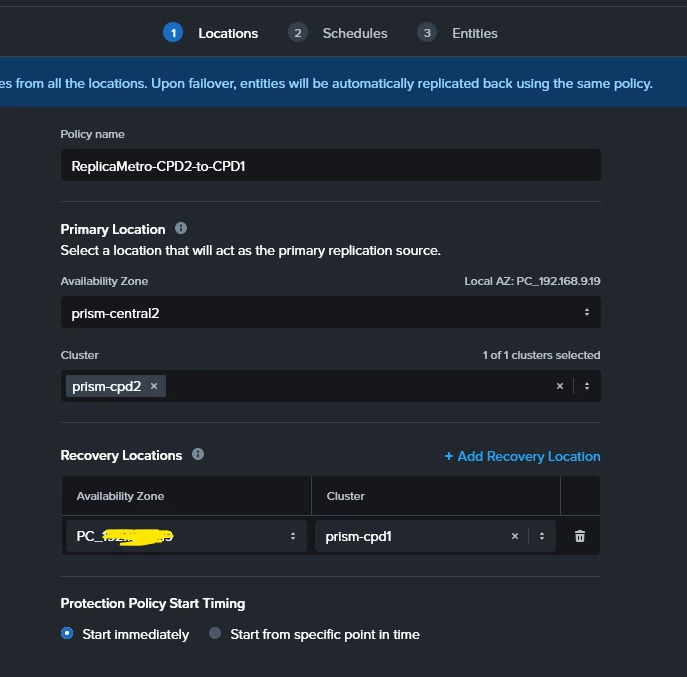
However I followed your indications and I can’t find any place to perform the container mapping on the protection policy. I can just pair the Prism Centrals and clusters… that’s all I can do:


In the previous screen, where am I suposed to find the container mapping?

thanks again!


selvamani
Forum|alt.badge.img+1
  • Trailblazer
  • February 26, 2026

Hi ​@Daniel Martinez 

If you are using Prism Central 7.5, you will not see an explicit container mapping field in the Protection Policy UI.

For synchronous replication (non-Metro), container pairing is derived automatically from the storage container of the protected VMs. There is no manual container-mapping screen like in older DR workflows.

So in this model, you don’t manually map containers.Mapping is implicit through the replication relationship and container lineage created by the Protection Policy.

Recommended steps to refresh the pairing:

1,Remove VMs from the current protection policy

2,Delete the synchronous protection policy

3,Ensure the target container exists on Cluster2 (empty is fine)

4,Recreate the synchronous policy from Cluster1 --> Cluster2 

5,Wait for first sync checkpoint   --->  Recreate or refresh the Recovery Plan

After this, Prism will internally pair the containers and the Test Failover should work.

Thanks