Question

Use NutanixCli with VSCode

  • December 18, 2025
  • 1 reply
  • 6 views

oosorto

I have downloaded the NutanixCli from Prism Central. Instead of using the shortcut desktop app I would like to use with VSCode. Has anyone been able to use it that way? What steps do you have to do to make it work?

1 reply

NBorba
Forum|alt.badge.img+1
  • Trailblazer
  • December 18, 2025

Hi,
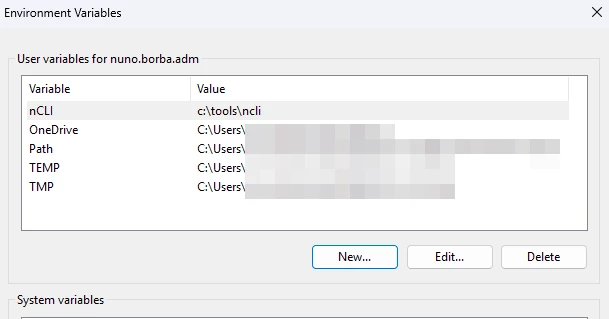
You have to manualy configure your Windows %PATH% or Linux $PATH environment variables.

Assuming you are on Windows 11, try the following steps:

  1. Open the System
  2. Search for edit the system environment variables.
  3. Click the Environment Variables… button
  4. on the user variables section, click New.. and add the path to your NCLI install (e.g.: C:\tools\ncli)


Alternativily you can add it to the system variables to make it available for all users or also unzip the NCLI package you downloaded from Prism Central directly to your c:\windows\system32 folder, this will automatically make it accessible from the VSCode console.