
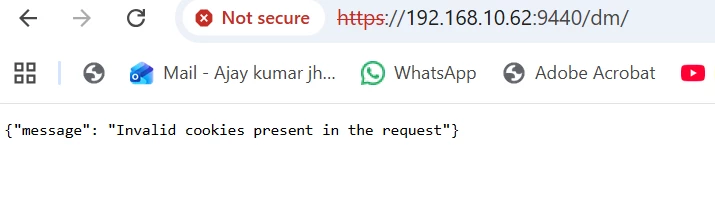
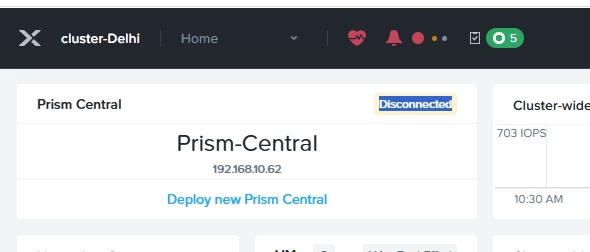
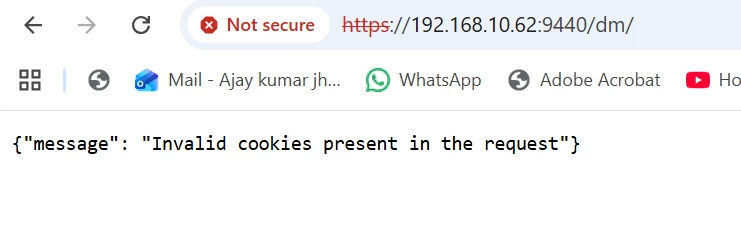
Prism central showing disconnected on prism elements. but VM is power on and also pingable. getting this error.
 +1
+1Prism central showing disconnected on prism elements. but VM is power on and also pingable. getting this error.
 +2
+2What version of PC are you running?
+2If you perform a NCC Cluster connectivity check, Does it pass?
ncc health_checks system_checks cluster_connectivity_status
Run through this article and let me know how you go
https://portal.nutanix.com/page/documents/kbs/details?targetId=kA032000000CiXYCA0

 +8
+8Your Prism Central is not running or not accessible.
If pcvm is running make sure pc cluster is started. Ssh into pcvm and type cluster start.
+1Prism Central up and cluster status of prism central is showing health but when we run ncc health check getting below error and also nslookup not working. But DNS working.
NSLOOKUP Output:
admin@NTNX-192-168-10-62-A-PCVM:~$ nslookup 192.168.10.62
62.10.168.192.in-addr.arpa name = zk1.
NCC Health Check Output:-
####################################################
# TIMESTAMP : Mon Feb 23 06:47:28 2026 (UTC +0000) #
####################################################
Cluster Name: Prism-Central
Cluster Id: 3773950263880577926
Cluster UUID: b4ed9102-1e3c-48a7-b45f-c3c50e97f386
Cluster Version: pc.7.5.0.5
NCC Version: 5.3.0-21e01769
CVM ID(Svmid) : 2
CVM external IP : 192.168.10.62
Node serial : 192-168-10-62
Model : kNull
Node Position : A
Block S/N : null
PC Size : XLarge
/health_checks/system_checks/check_pcvm_ssh_security [ INFO ]
------------------------------------------------------------------------------------------------------------------------------------------------------------+
/health_checks/system_checks/weekly_pre_expiry [ WARN ]
------------------------------------------------------------------------------------------------------------------------------------------------------------+
/health_checks/system_checks/dns_server_check [ WARN ]
------------------------------------------------------------------------------------------------------------------------------------------------------------+
/health_checks/system_checks/microservice_infrastructure_status_check [ WARN ]
------------------------------------------------------------------------------------------------------------------------------------------------------------+
/health_checks/pulse_checks/rest_connection_checks [ WARN ]
------------------------------------------------------------------------------------------------------------------------------------------------------------+
/health_checks/system_checks/salt_check [ WARN ]
------------------------------------------------------------------------------------------------------------------------------------------------------------+
/health_checks/system_checks/ldap_config_check [ FAIL ]
------------------------------------------------------------------------------------------------------------------------------------------------------------+
/health_checks/system_checks/pc_default_password_check [ FAIL ]
------------------------------------------------------------------------------------------------------------------------------------------------------------+
/health_checks/system_checks/iam_services_status_check [ FAIL ]
------------------------------------------------------------------------------------------------------------------------------------------------------------+
/health_checks/pcvm_checks/iamv2_backup_sync_check [ FAIL ]
------------------------------------------------------------------------------------------------------------------------------------------------------------+
/health_checks/ncm_checks/ncm_pre_upgrade_checks [ FAIL ]
------------------------------------------------------------------------------------------------------------------------------------------------------------+
/health_checks/system_checks/check_license_compliance [ ERR ]
------------------------------------------------------------------------------------------------------------------------------------------------------------+
/health_checks/draas_checks/recovery_plan_checks/recovery_plan_last_test_status_check [ ERR ]
------------------------------------------------------------------------------------------------------------------------------------------------------------+
/health_checks/draas_checks/recovery_plan_checks/recovery_plan_modified_network_check [ ERR ]
------------------------------------------------------------------------------------------------------------------------------------------------------------+
Detailed information for check_pcvm_ssh_security:
Node 192.168.10.62:
INFO: Password-based remote login is enabled on the PCVM. It is recommended to use key-based ssh access instead of password-based ssh access for better security.
Refer to KB 14104 (http://portal.nutanix.com/kb/14104) for details on check_pcvm_ssh_security or Recheck with: ncc health_checks system_checks check_pcvm_ssh_security
Detailed information for weekly_pre_expiry:
Node 192.168.10.62:
WARN: The setup has license(s) that are about to expire. Detailed license info:
NUS-PRO-INCLUDED - 2.00 TIB NUS Pro is expiring on 2026-03-24
Cluster UUID: 00064ac2-6e93-96ab-39c8-ac1f6b3b4ae8 has license(s) that are about to expire: LIC-02563104 - 40 CORES NCM Ultimate is expiring on 2026-03-24
Cluster UUID: 00064ab0-d80b-01dc-1c4e-ac1f6b3b4b76 has license(s) that are about to expire: LIC-02563104 - 120 CORES NCM Ultimate is expiring on 2026-03-24
Refer to KB 2469 (http://portal.nutanix.com/kb/2469) for details on weekly_pre_expiry or Recheck with: ncc health_checks system_checks weekly_pre_expiry
Detailed information for dns_server_check:
Node 192.168.10.62:
INFO: DNS Server Response Time of 4853 exceeded threshold of 3000 milliseconds with DNS Server 192.168.10.45
WARN: Response time of DNS Server 127.0.0.1 configured on CVM is untraceable.
Refer to KB 3005 (http://portal.nutanix.com/kb/3005) for details on dns_server_check or Recheck with: ncc health_checks system_checks dns_server_check --cvm_list=192.168.10.62
Detailed information for microservice_infrastructure_status_check:
Node 192.168.10.62:
WARN: Following Microservice Infrastructure components are unhealthy: Extensions is unhealthy, Addons is unhealthy
Refer to KB 13136 (http://portal.nutanix.com/kb/13136) for details on microservice_infrastructure_status_check or Recheck with: ncc health_checks system_checks microservice_infrastructure_status_check --cvm_list=192.168.10.62
Detailed information for rest_connection_checks:
Node 192.168.10.62:
WARN: Pulse is enabled but connectivity fails. Discoveries and other Insights features will not be available until the Pulse connection is re-established.
Refer to KB 5490 (http://portal.nutanix.com/kb/5490) for details on rest_connection_checks or Recheck with: ncc health_checks pulse_checks rest_connection_checks
Detailed information for salt_check:
Node 192.168.10.62:
WARN: Failed salt_check: saltrun is correctly setup but daily execution not found within expected timeframe for 192.168.10.62.
Refer to KB 17973 (http://portal.nutanix.com/kb/17973) for details on salt_check or Recheck with: ncc health_checks system_checks salt_check
Detailed information for ldap_config_check:
Node 192.168.10.62:
FAIL: Error in fetching directory services from IAMv2 database. Please verify the health status of IAM services.
Refer to KB 2997 (http://portal.nutanix.com/kb/2997) for details on ldap_config_check or Recheck with: ncc health_checks system_checks ldap_config_check
Detailed information for pc_default_password_check:
Node 192.168.10.62:
FAIL: Please update the default password(s) on the PC with IP: 192.168.10.62 for the nutanix user to harden the security on the clusters. Nutanix recommends immediately changing all default passwords.
Refer to KB 6153 (http://portal.nutanix.com/kb/6153) for details on pc_default_password_check or Recheck with: ncc health_checks system_checks pc_default_password_check
Detailed information for iam_services_status_check:
Node 192.168.10.62:
FAIL: Cannot reach IAM Authorization Service (Themis): Failed to connect to iam-proxy.ntnx-base
Cannot reach IAM Authentication Service (Authn): Failed to connect to iam-proxy.ntnx-base
Refer to KB 16775 (http://portal.nutanix.com/kb/16775) for details on iam_services_status_check or Recheck with: ncc health_checks system_checks iam_services_status_check
Detailed information for iamv2_backup_sync_check:
Node 192.168.10.62:
FAIL: No IAM backup taken in last 86400 seconds.Last backup taken at 2026-02-19 05:30:04 UTC+0000
Refer to KB 18056 (http://portal.nutanix.com/kb/18056) for details on iamv2_backup_sync_check or Recheck with: ncc health_checks pcvm_checks iamv2_backup_sync_check
Detailed information for ncm_pre_upgrade_checks:
Node 192.168.10.62:
FAIL: Service manager is not healthy
Refer to KB 18828 (http://portal.nutanix.com/kb/18828) for details on ncm_pre_upgrade_checks or Recheck with: ncc health_checks ncm_checks ncm_pre_upgrade_checks
Detailed information for check_license_compliance:
Node 192.168.10.62:
ERR : Execution terminated by exception ConnectionError(MaxRetryError("HTTPConnectionPool(host='svcmgr.ntnx-base', port=2083): Max retries exceeded with url: /api/lifecycle/v4.0/svcmgr/applications?%24filter=name+eq+%27data-lens%27 (Caused by NewConnectionError('<urllib3.connection.HTTPConnection object at 0x7f3efc3e38e0>: Failed to establish a new connection: [Errno -2] Name or service not known'))"))
ERR : Unknown Exception occurred during execution
Refer to KB 2469 (http://portal.nutanix.com/kb/2469) for details on check_license_compliance or Recheck with: ncc health_checks system_checks check_license_compliance
Detailed information for recovery_plan_last_test_status_check:
Node 192.168.10.62:
ERR : Failed retrieve latest recovery plan job from local PC.
Refer to KB 5793 (http://portal.nutanix.com/kb/5793) for details on recovery_plan_last_test_status_check or Recheck with: ncc health_checks draas_checks recovery_plan_checks recovery_plan_last_test_status_check
Detailed information for recovery_plan_modified_network_check:
Node 192.168.10.62:
ERR : Execution terminated by exception TypeError("argument of type 'NoneType' is not iterable")
ERR : Unknown Exception occurred during execution
Refer to KB 11044 (http://portal.nutanix.com/kb/11044) for details on recovery_plan_modified_network_check or Recheck with: ncc health_checks draas_checks recovery_plan_checks recovery_plan_modified_network_check
One or more plugins generated ERROR as the check execution couldn't be completed. Please re-run the check individually or reach out to Nutanix Support.
+-----------------------+
| State | Count |
+-----------------------+
| Pass | 110 |
| Info | 1 |
| Warning | 5 |
| Fail | 5 |
| Error | 3 |
| Total Plugins | 124 |
+-----------------------+
Plugin output written to /home/nutanix/data/logs/ncc-output-latest.log
+2Is everything on the same subnet or separate subnets, eg. Is your Nutanix Infra on the same subnet as your DNS servers etc?
If not, can you check if your firewall is blocking any network connectivity.
Have you opened a ticket with support?
+1all are the same subnet. and nothing to different subnet.
+2There are guides out there on how to restart the prism service, you could try that, otherwise your safer option would be to engage the support and have them restore services.
+1I have done all thing but no luck. we doing multiple time but no luck. after showing all cluster services up but web console not open. And we doing POC so don't have support. its limitations.
+2Okay, I will do the best I can to help you.
Can you run the following command
docker ps -a
You are looking for any containers that says unhealthy
+2I have done all thing but no luck. we doing multiple time but no luck. after showing all cluster services up but web console not open. And we doing POC so don't have support. its limitations.
Also try a private window. I sometimes have issues with cookies on PC. So it could be a cookies issue in your browser
+1same issue on private browser also. in the docker ps -a output domain manager showing unhealthy
+2same issue on private browser also. in the docker ps -a output domain manager showing unhealthy
You could try this?
https://portal.nutanix.com/page/documents/kbs/details?targetId=kA00e000000fyMjCAI
+2Also, Do you only have a single PCVM or are you running in a scaled out setup?
+1KB 1014. this KB not open its required software registration ID.
Enter your E-mail address. We'll send you an e-mail with instructions to reset your password.
Sorry, we're still checking this file's contents to make sure it's safe to download. Please try again in a few minutes.
OKSorry, our virus scanner detected that this file isn't safe to download.
OK