Question

GUI: PC/VM - VM not power on (PC version 7.5.0.1

  • February 12, 2026
  • 2 replies
  • 0 views

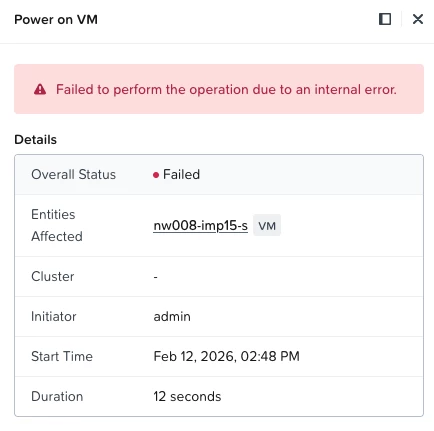
From PC/VMs - select VM - Power Operations - Power on

Tasks comes back as failed


2 replies

selvamani
Forum|alt.badge.img+1
  • Trailblazer
  • February 13, 2026

Hi ​@Geoff Iverson 

run the host : grep "address sizes" /proc/cpuinfo

If it shows something like 39 bits physical, your downgrade solution is 100% the correct path.

Here is the clean Fix: Nutanix CE VM Success in Under 30 Minutes!

I'm excited to share the only method that actually works in 2025 to solve the "phys-bits too low" error on consumer-grade hardware.
The answer was downgrading the hypervisor.
We manually rolled AHV back from the demanding 10.0.1.2 version to a stable 2023.x build.

Why this works:
The 2023.x version does not enforce the new 46-bit CPU check.
AOS 7.0+ and all data remains untouched—zero data loss or re-imaging required.
The moment the hosts rebooted, the VMs started instantly!

Key Takeaway for the CE Community:
If you run Nutanix on older hardware, stay on AHV 2023.x. Manual ISO updates are fast, fully supported for CE.

The Nutanix Community Edition is still amazing and thriving in 2025—we just need to pick the right AHV version for our hardware!


Thanks
Selvamani S


JeroenTielen
Forum|alt.badge.img+8
  • Vanguard
  • February 13, 2026

Looks like your production cluster. Please involve support.